How do I create a booking manually?
Schedule a booking for an existing client and an available employee from the admin area.
Public guide
Schedule a booking
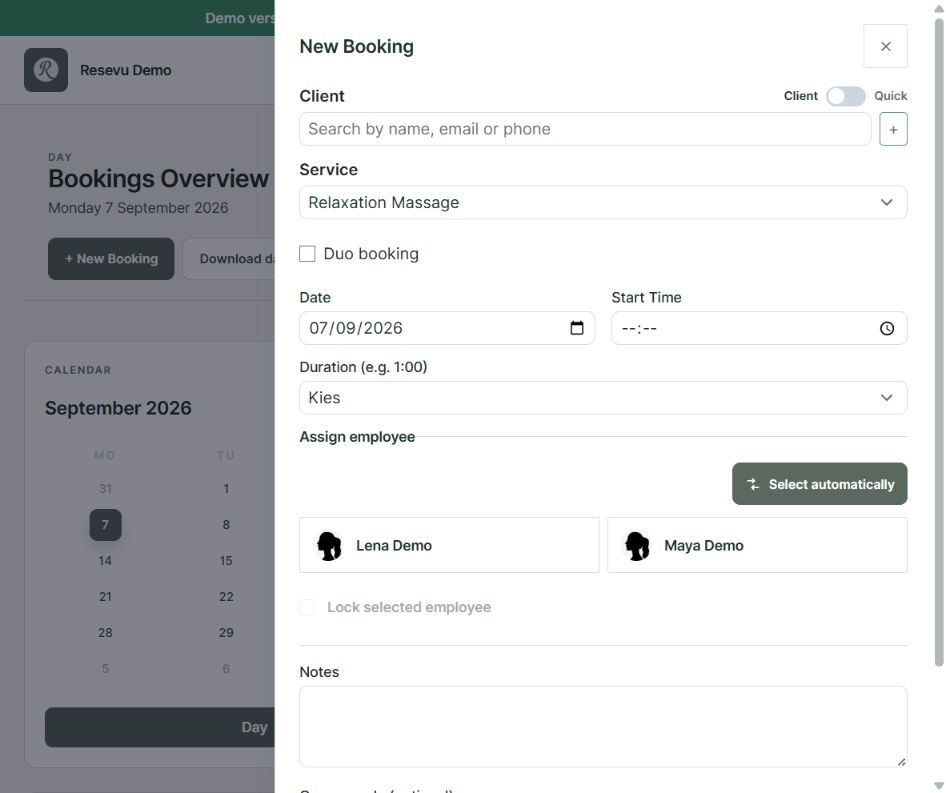
- Open Bookings and choose New booking.
- Select the client and treatment type.
- Choose the duration and date.
- Select an employee or let Resevu suggest an available employee.
- Choose one of the available start times.
- Review the details and choose Save.
For a duo booking, enable Duo and select a second treatment and employee when needed.
If an expected time is missing, check business hours, the employee's schedule and leave, the treatment duration and the configured time between bookings.